Case Study
REFERENCES: A LIBRARY FOR INSPIRATION
Everything I save, in one place, filed the way I would.
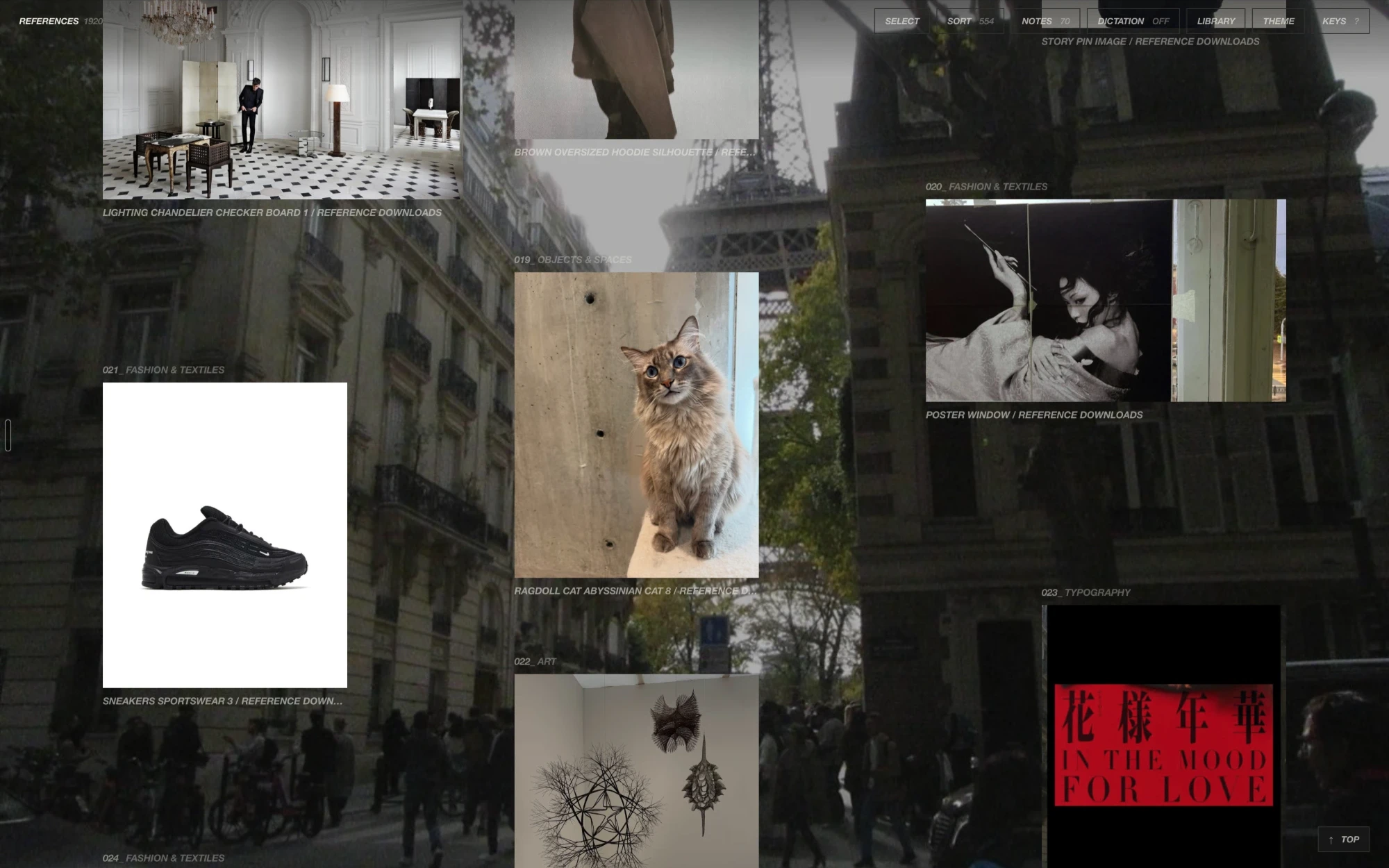
I save images, films, and songs all day, from Instagram, Pinterest, screenshots, and downloads, and for years they sat wherever they landed. References is the library I built for them. It is my way to translate technical knowledge into a system that boosts my creativity through organization and tailored workflows: one folder on my Mac, described and filed by AI models running on the machine itself, searchable by meaning, and close to the boards where references become things I make.
- Role
- Design and engineering, solo
- Timeline
- October 2026 to present
- Platform
- macOS (Tauri, Rust, React)
- Models
- SigLIP 2, CLAP, and Qwen3.6, all on the Mac
- Status
- IN DAILY USE
01
The library
One folder, kept in step with Finder
I download and look at references in so many places: Instagram, Pinterest, my Downloads, my Desktop. I made References in the hope of organizing them all into one space for myself, to help me create.
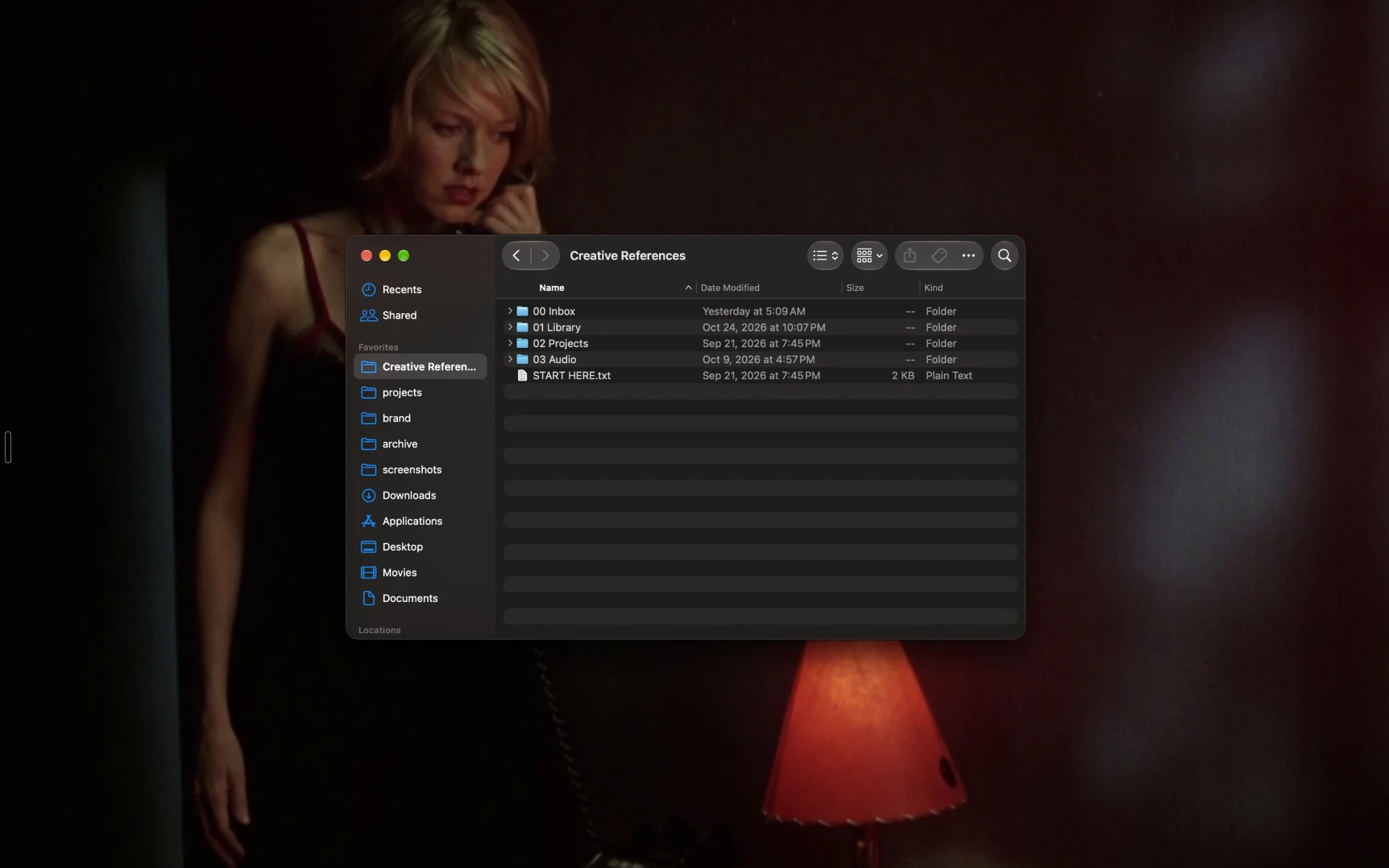
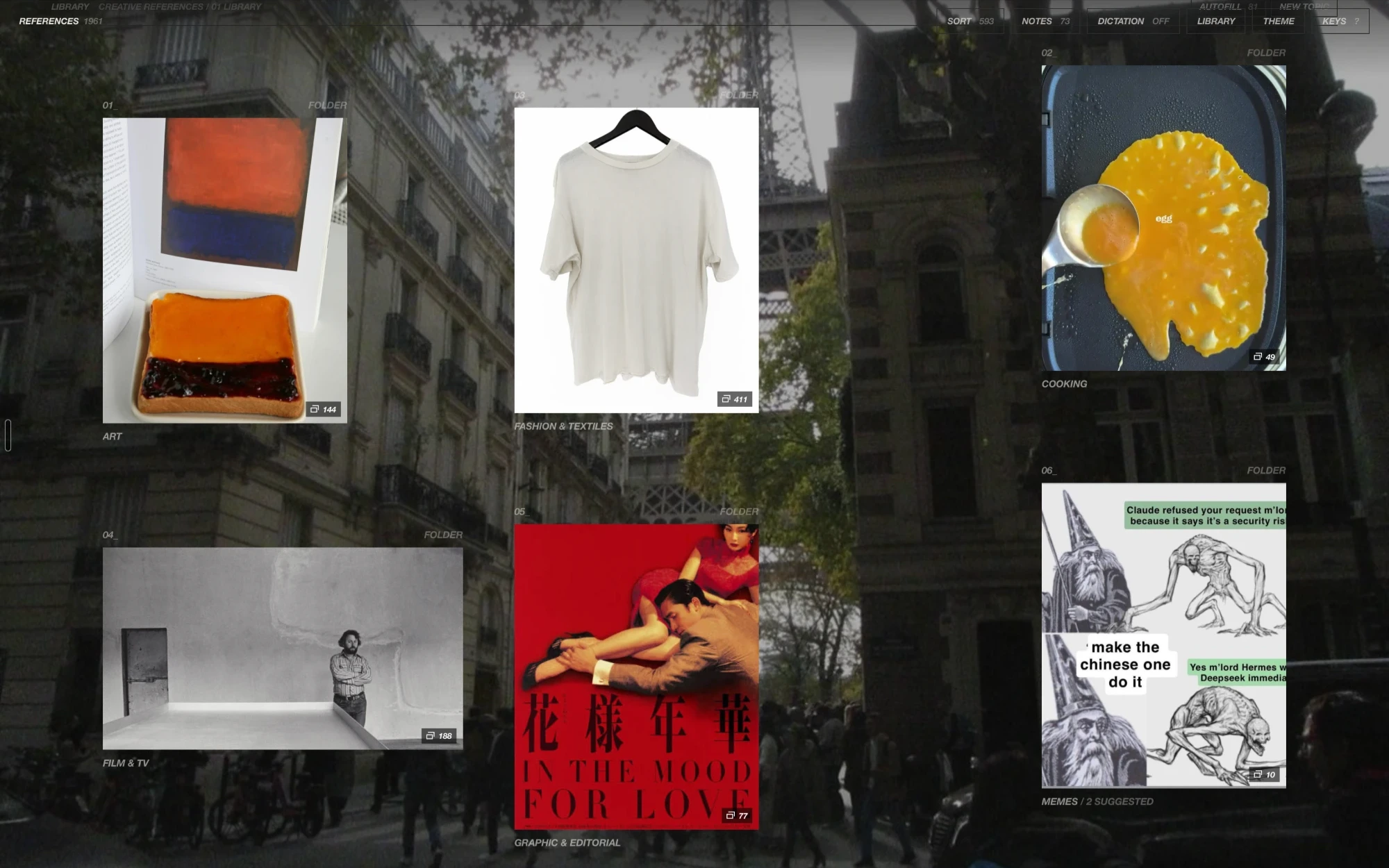
That space is one folder on my Mac, ~/Creative References. Its folders are the app’s folders: filing something in the app moves the file there, and moving a file in Finder files it again in the app.
The library outlives the app. If References disappeared tomorrow, everything would still be sitting in folders with readable names, and a renamed or moved folder is found again by its file id, so nothing I have filed is ever lost to a rename.
02
Search
Ask for a feeling
I rarely remember what a file is called, only what it looked like or how it felt. Typing “quiet Tokyo street at night” or “film grain, faded blue” ranks the whole library by how well each image, or each film’s poster, matches the phrase. It works just as well for plain subjects: hoodies, flowers, editorial images, cities. Songs answer the same way, so “late night drive” finds music by its sound rather than its title.
The models run on the Mac, a new file is embedded as it arrives, and “More like this” in the viewer uses the same vectors. While the meaning search is out, the gallery holds what it showed and never flashes an empty answer.
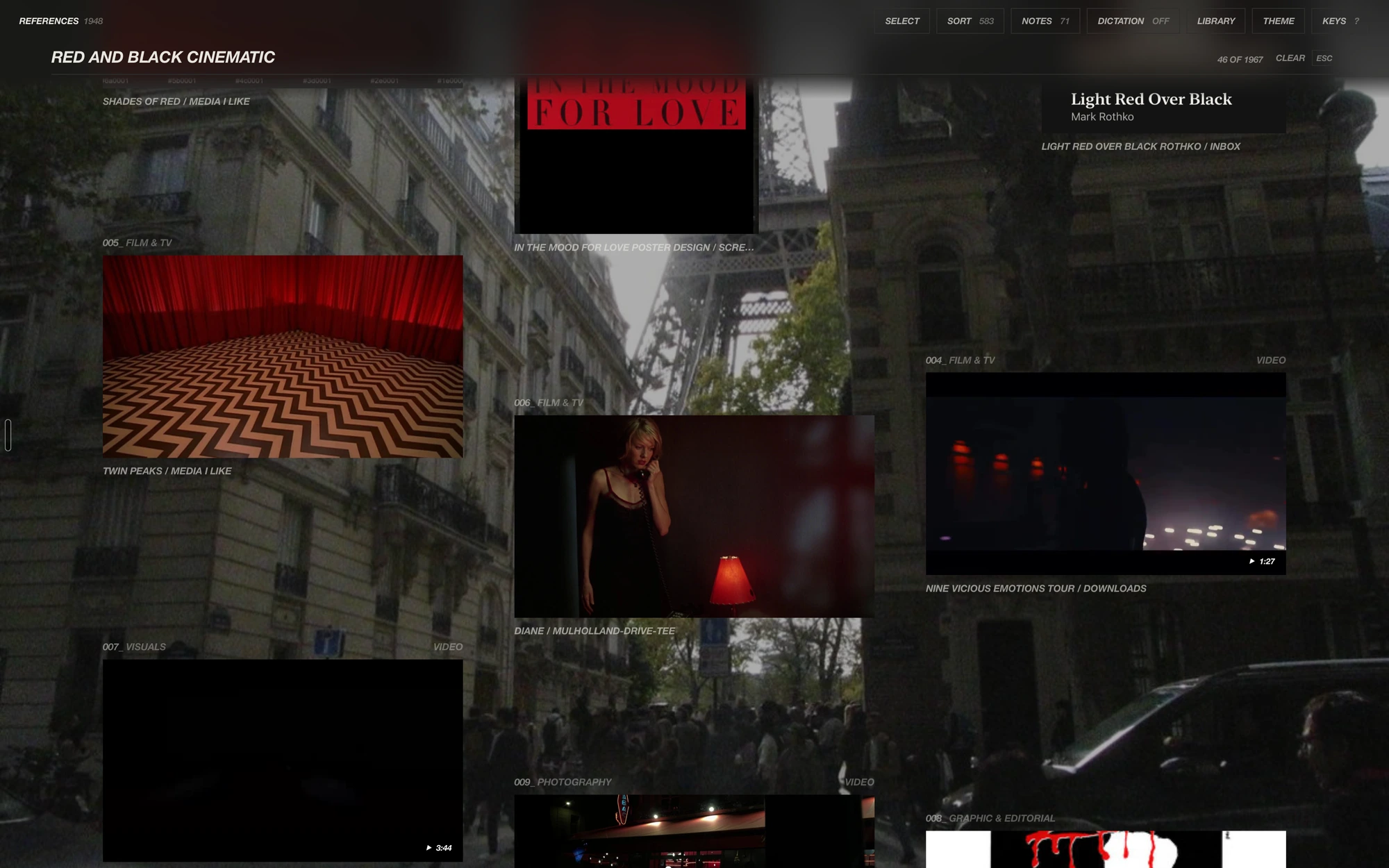
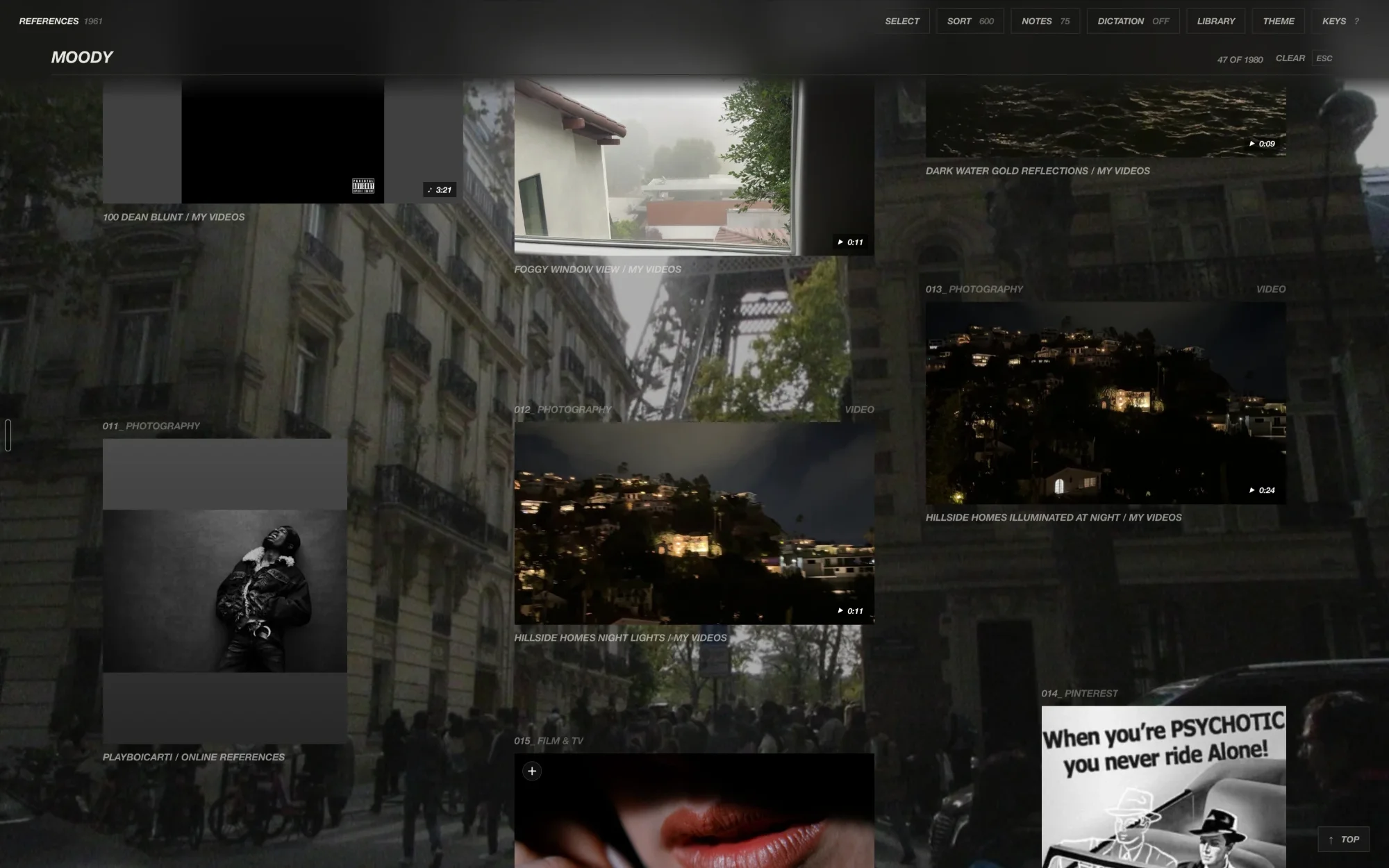
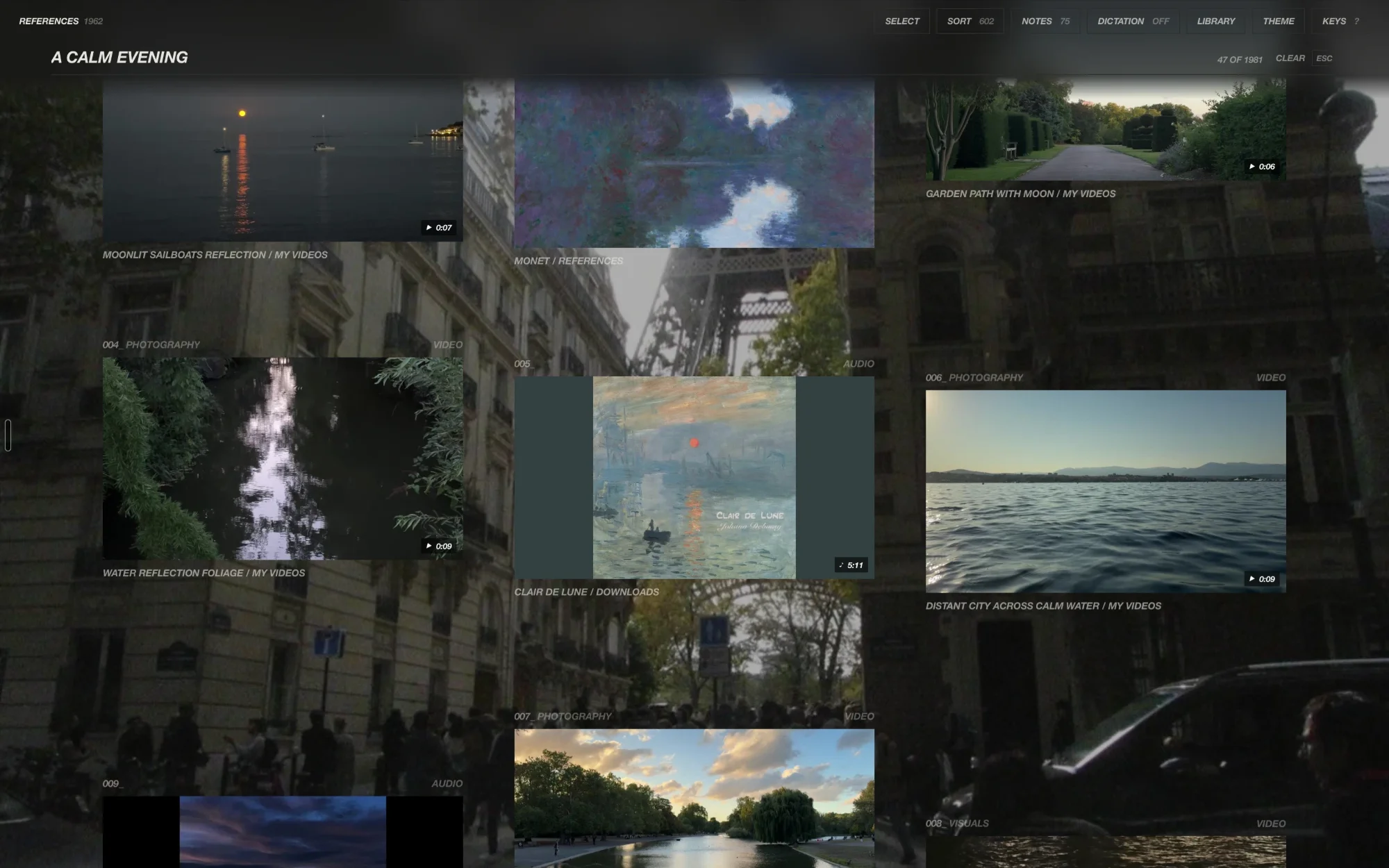
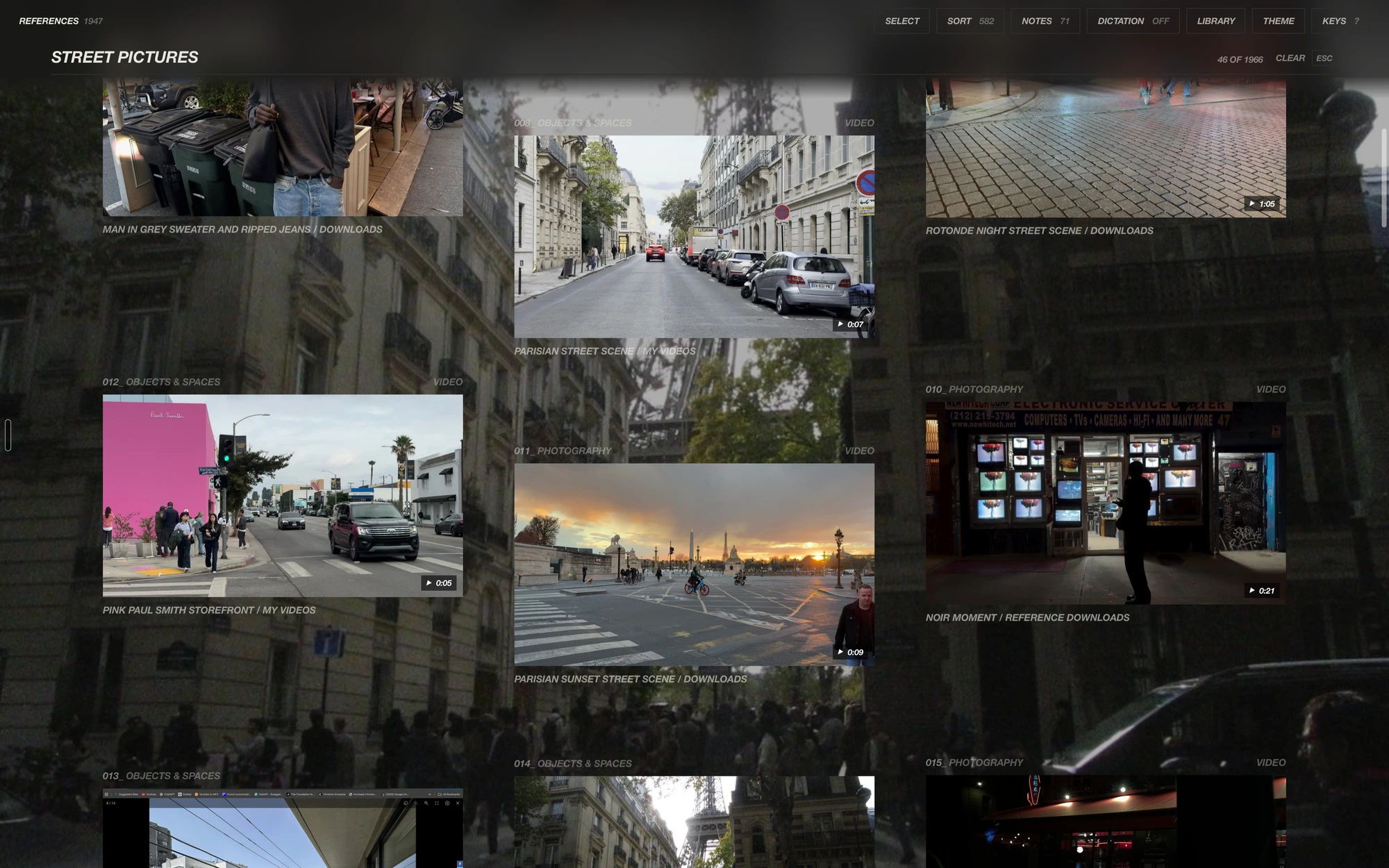
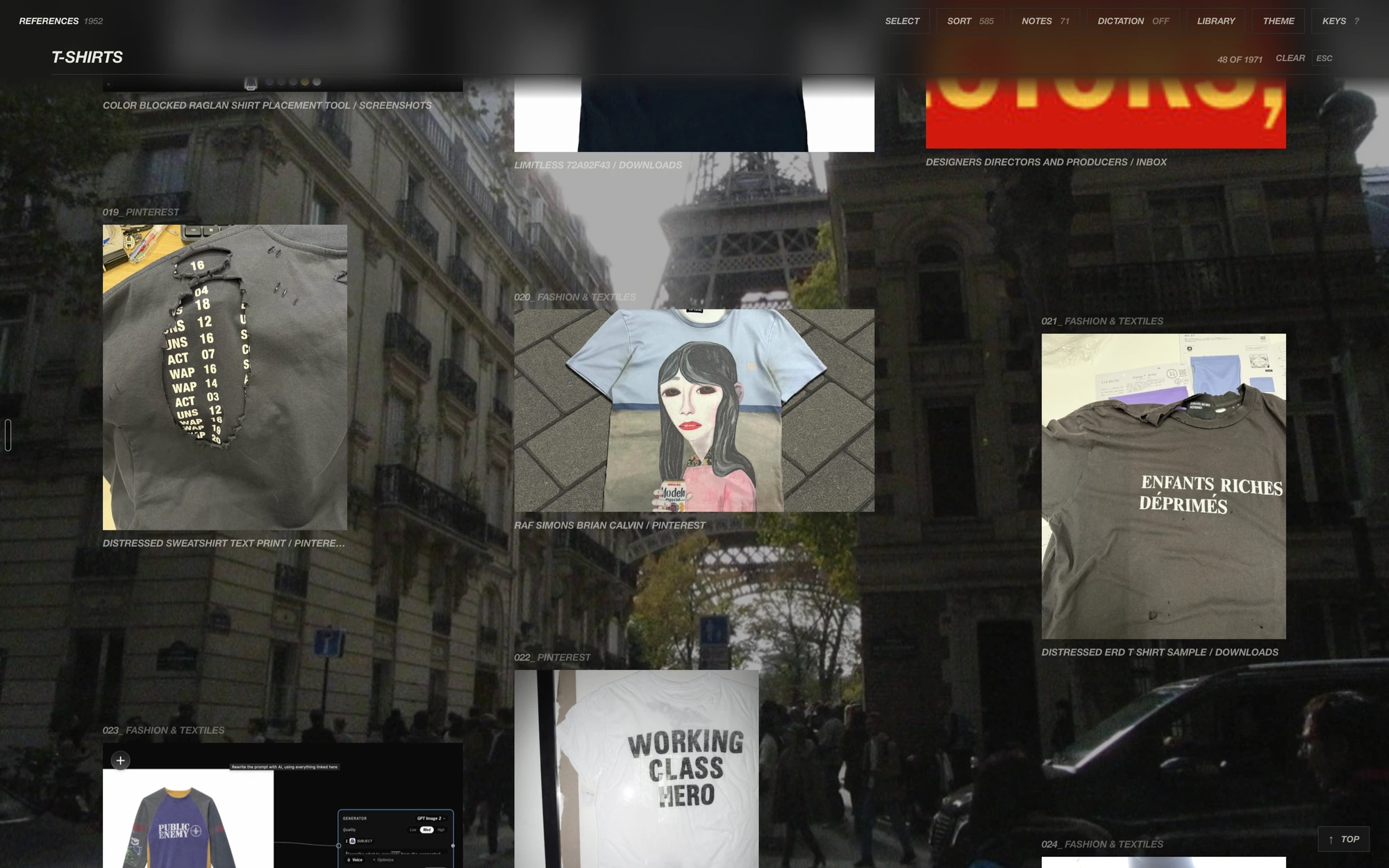
“Red and black cinematic”: a mood, and 46 of 1,967 references that match it.
03
Filing
It files the way I would
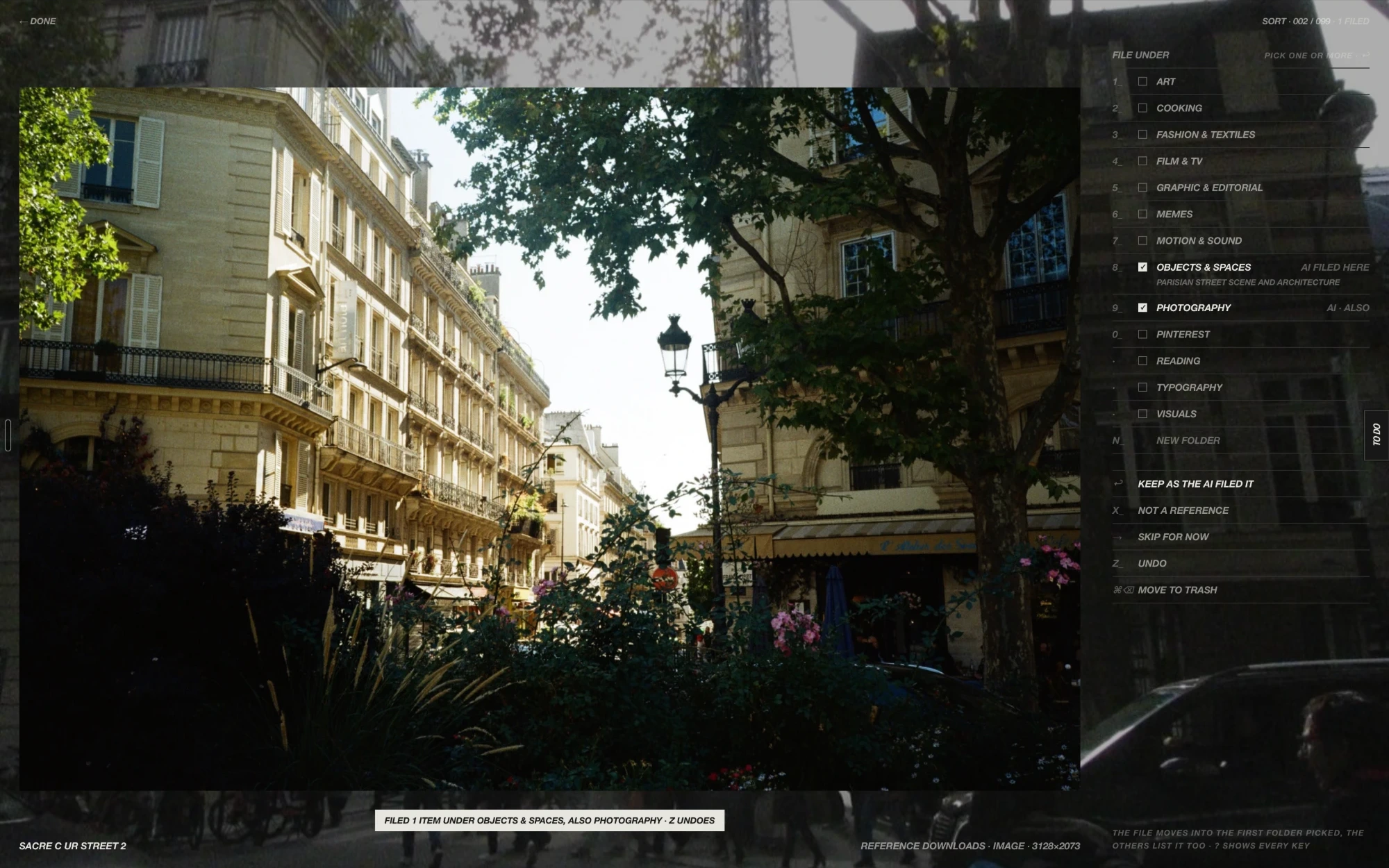
Anything I download, photos and films alike, is sorted automatically by a local LLM, Qwen3.6 running on my Mac. Downloads, the Desktop, and the folders my Instagram and Pinterest saves land in are watched, and whatever arrives is described, given a readable name in place of IMG_4121 or an Instagram number, and filed straight into the folder it belongs in, with a notice saying what went where and one Undo for the lot.
It gets more accurate the more I sort by hand, with no retraining. Every reference I file by hand votes for its folder, corrections I have made before win over the model’s first guess, and a source whose saves always go to one folder sends the rest there too. Checked against 1,458 references I filed, the model alone matched my choice 97.0% of the time; with what it learns from my filing, 98.6%.
Screenshots, receipts, and app windows are offered up as throwaways, and nothing goes until I confirm.
04
The viewer
Open it, then take it anywhere
A reference opens into a viewer built for looking: zoom to actual pixels, step through a film a frame at a time on a strip of its own frames, or crop it to a format.
Pulling a picture out of the window carries the file itself, as Finder would, into a mail, a page, or another app, while the library’s copy stays exactly where it is.
05
Editing
The edits I used to open Photoshop for
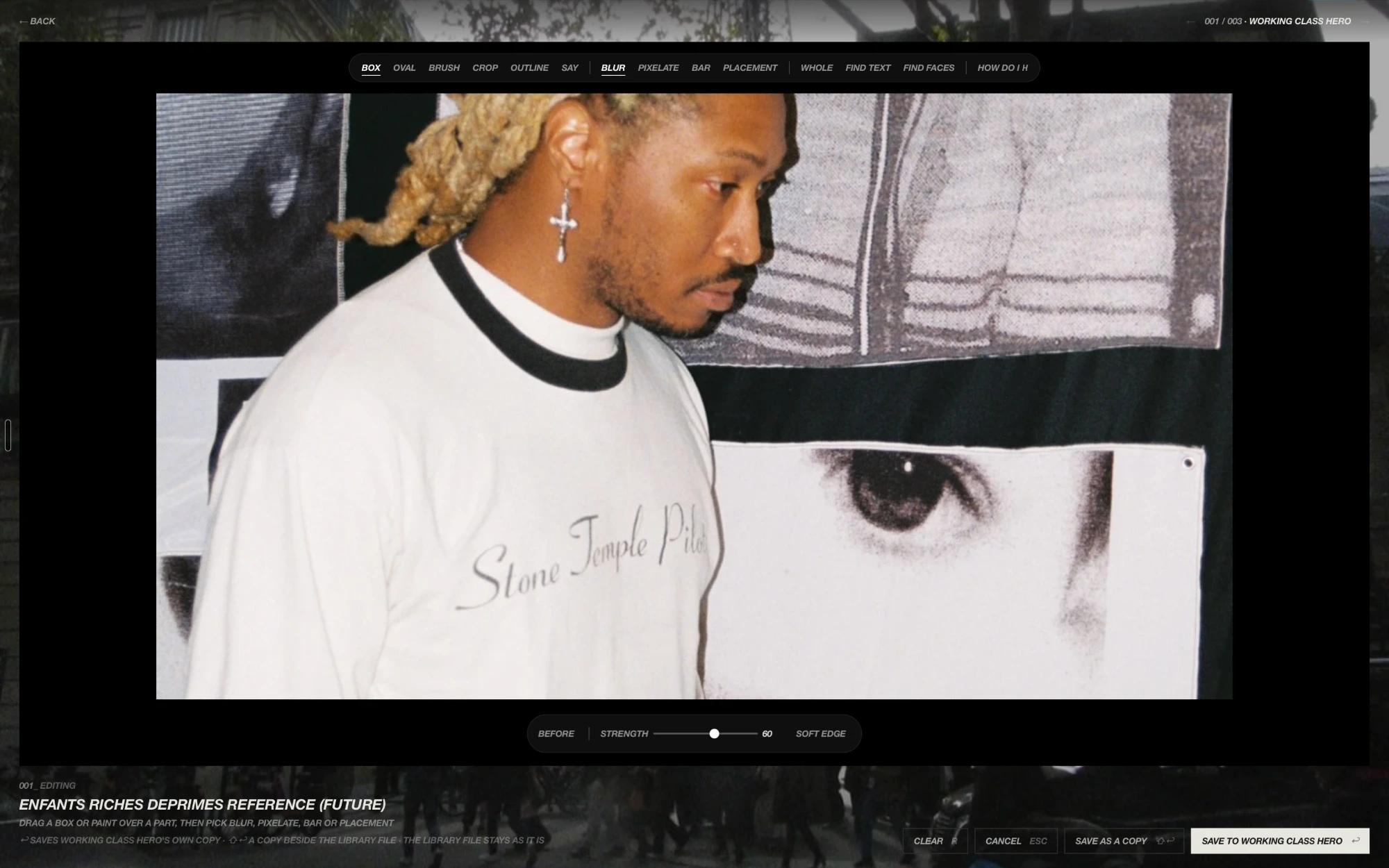
E on any picture opens its edit table: the room goes dark and the tools sit above the picture. A box, an oval or the brush marks a part, and each mark gets a blur, a pixelation, a bar, or a Placement, where an image model on the Mac paints something new into just that part from a line I type.
Find faces and Find text mark them for me with Apple Vision, Say cuts out whatever I name in a few words, like the lettering or everything but the person, and “How do I” takes a question in plain words and answers with the tool, its key and the steps. A save goes over the picture or beside it as a copy; opened from a board, it changes only the board’s copy, and the file in the library stays as it is.
06
Boards
From a reference to a made thing
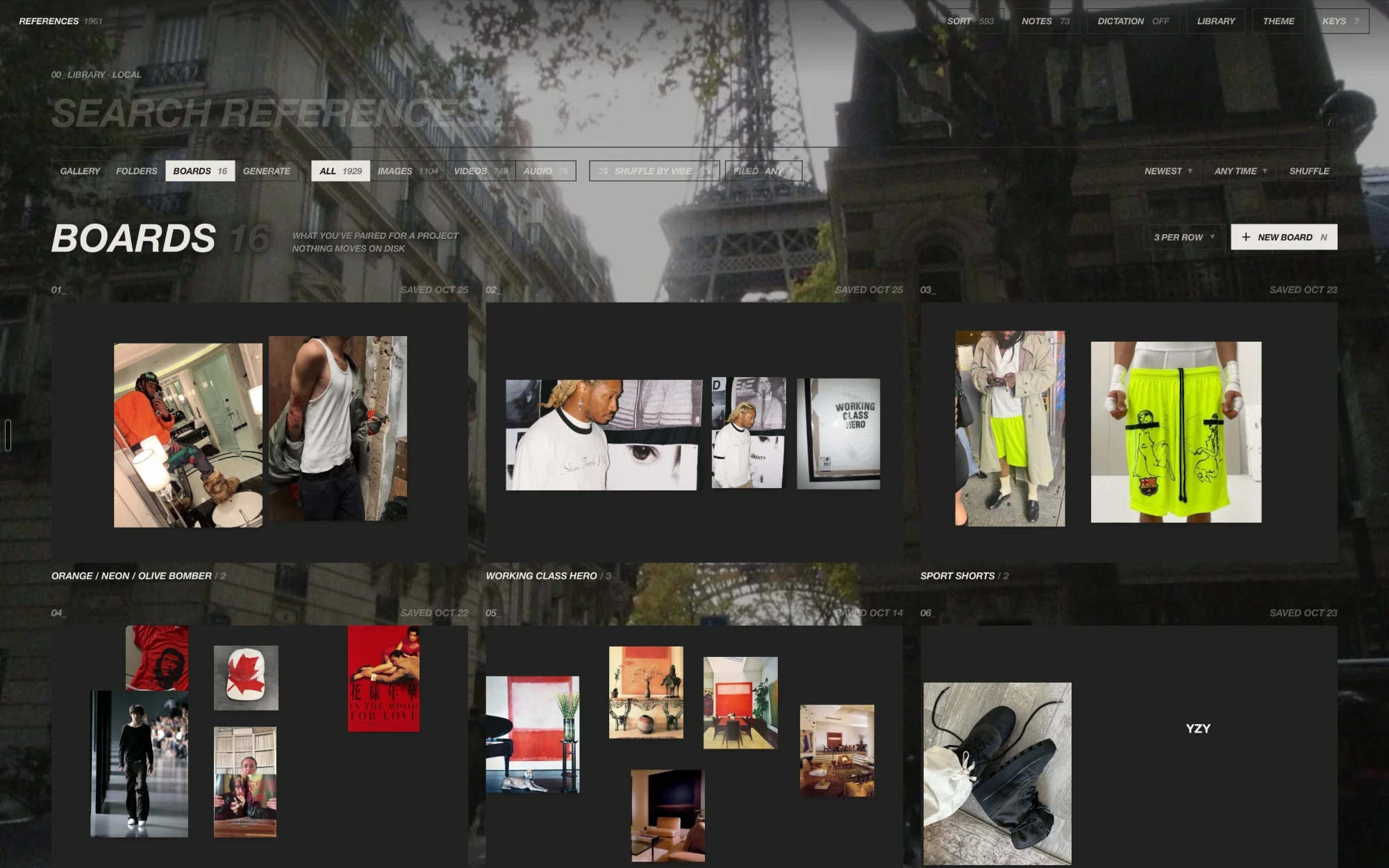
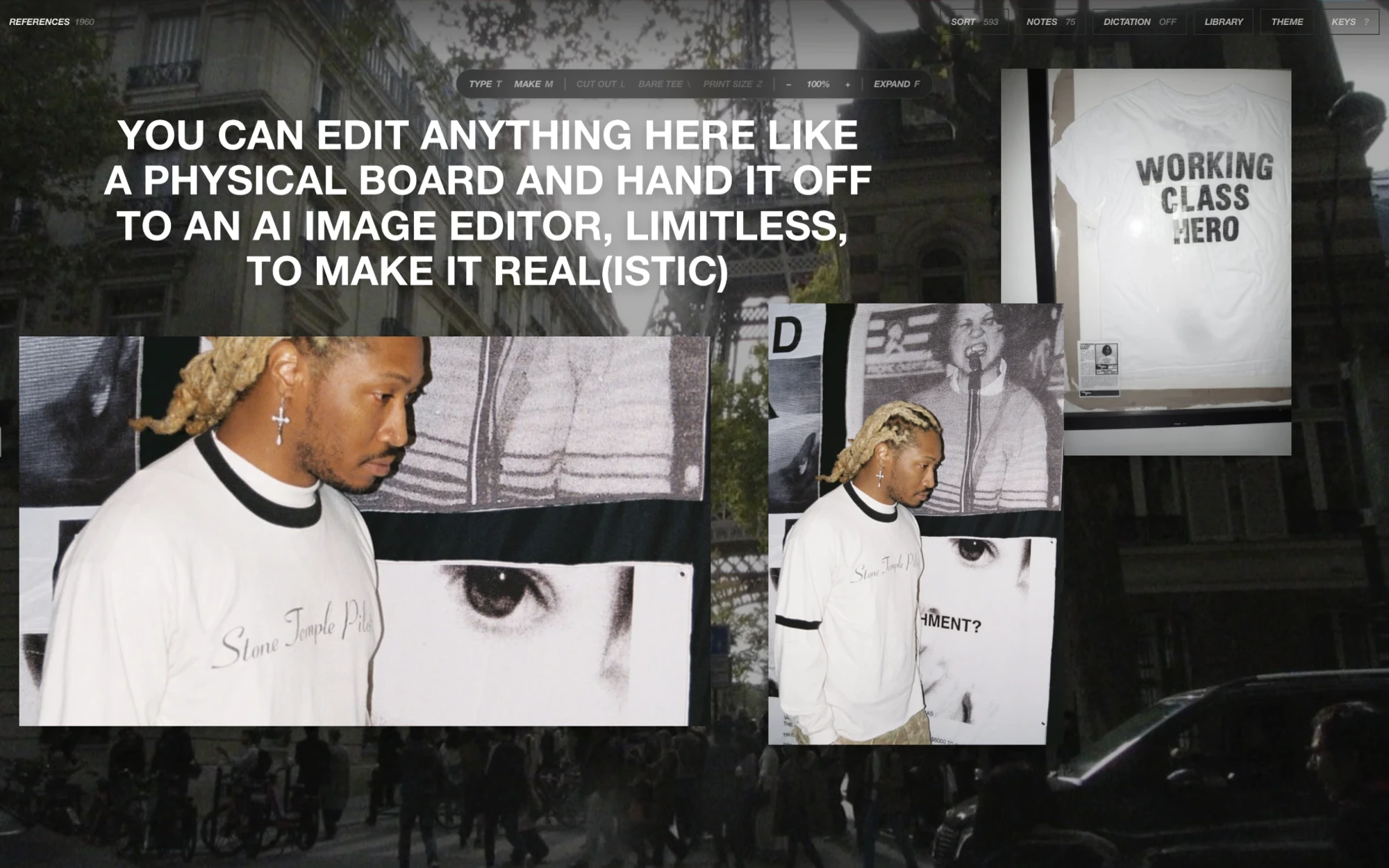
Boards pair references for a project, a t-shirt or a deck, without moving a single file. A board’s work table sets type in my own fonts, cuts a subject out of a photo, and paints new pieces around words or a cut-out with an image model running on the Mac.
On a tee, anything dragged onto the shirt prints into the cloth, with a readout in inches from the collar and the center line, and the print saves at 300 dpi. One button hands the print, the mockup, and its placement to Limitless to render out from there.
This is the part that matters most to me: applying a creative system, bolstering it with AI, to help create physical things in the real world, which is the direction I aim to work in.
07
Notes and voice
Where a reference becomes an idea
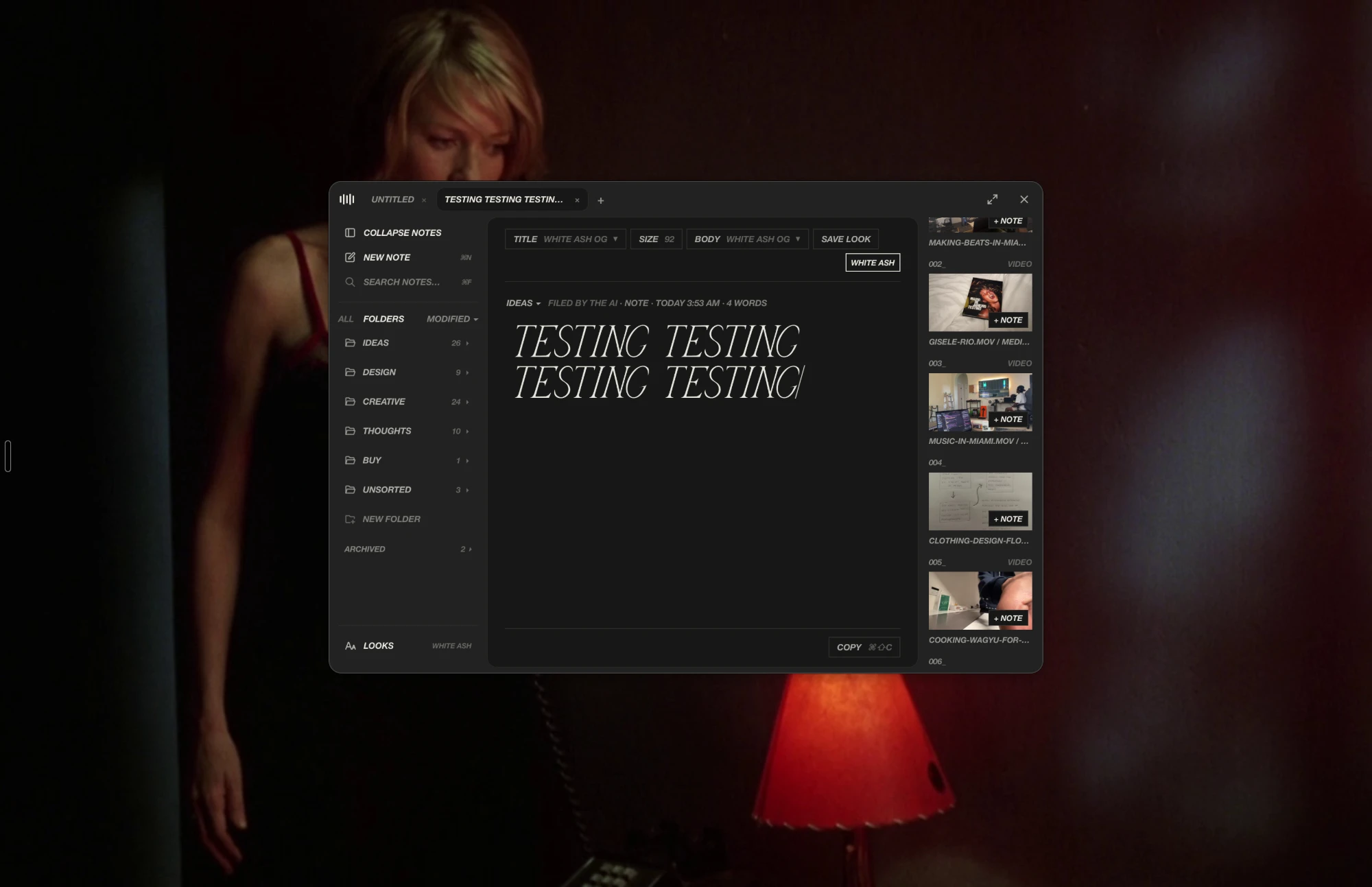
Notes live in the same window as the library, set in my own fonts, with the library in a rail beside the page so a picture can be dropped into the words as I write. Holding a key anywhere on the Mac starts a note by voice, cleaned up to read like writing.