Case Study
TRAIN: WORKOUT COMPANION
Train began with the workouts I kept in Apple Notes and the question those notes could never answer quickly: what should I do next? I designed and built an iPhone app that turns a rough program into a weekly plan, then uses the work I actually complete to set the next session and the direction of the training beyond it, so progress accumulates in an order I can see rather than being guessed at each time.
Role
Design and engineering, solo
Timeline
July 2026 to present
Platform
iOS 17 and later, iPhone
Status
IN DEVELOPMENT
From a workout note to a program ready to train.

01_ The plan
From a note to the next workout
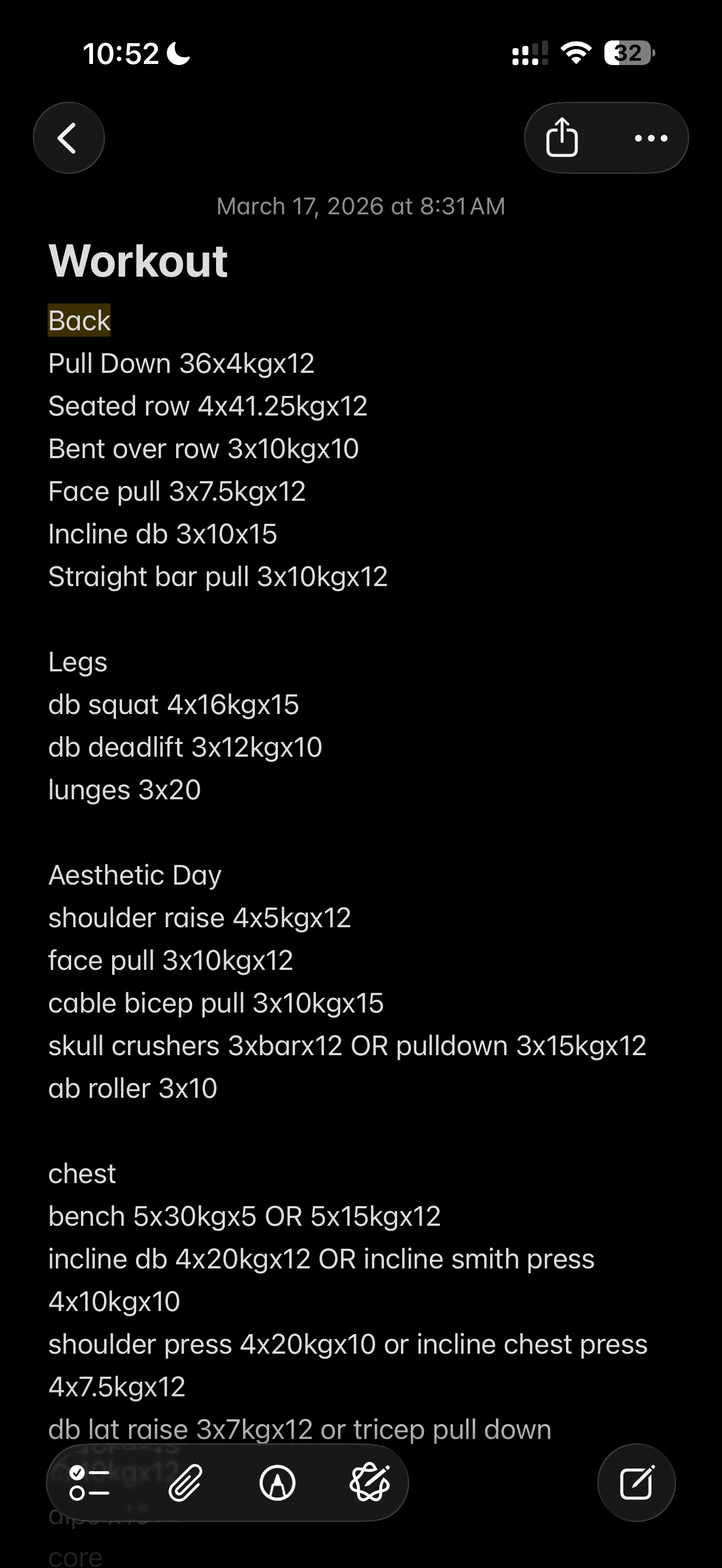
I used to keep my workouts in Apple Notes. Some days I wrote every set; other days, just the weight. A note was easy to start, but finding the next workout meant scrolling back and piecing together inconsistent entries. Train began with a way to keep that ease of entry while turning the note into a plan I could use.
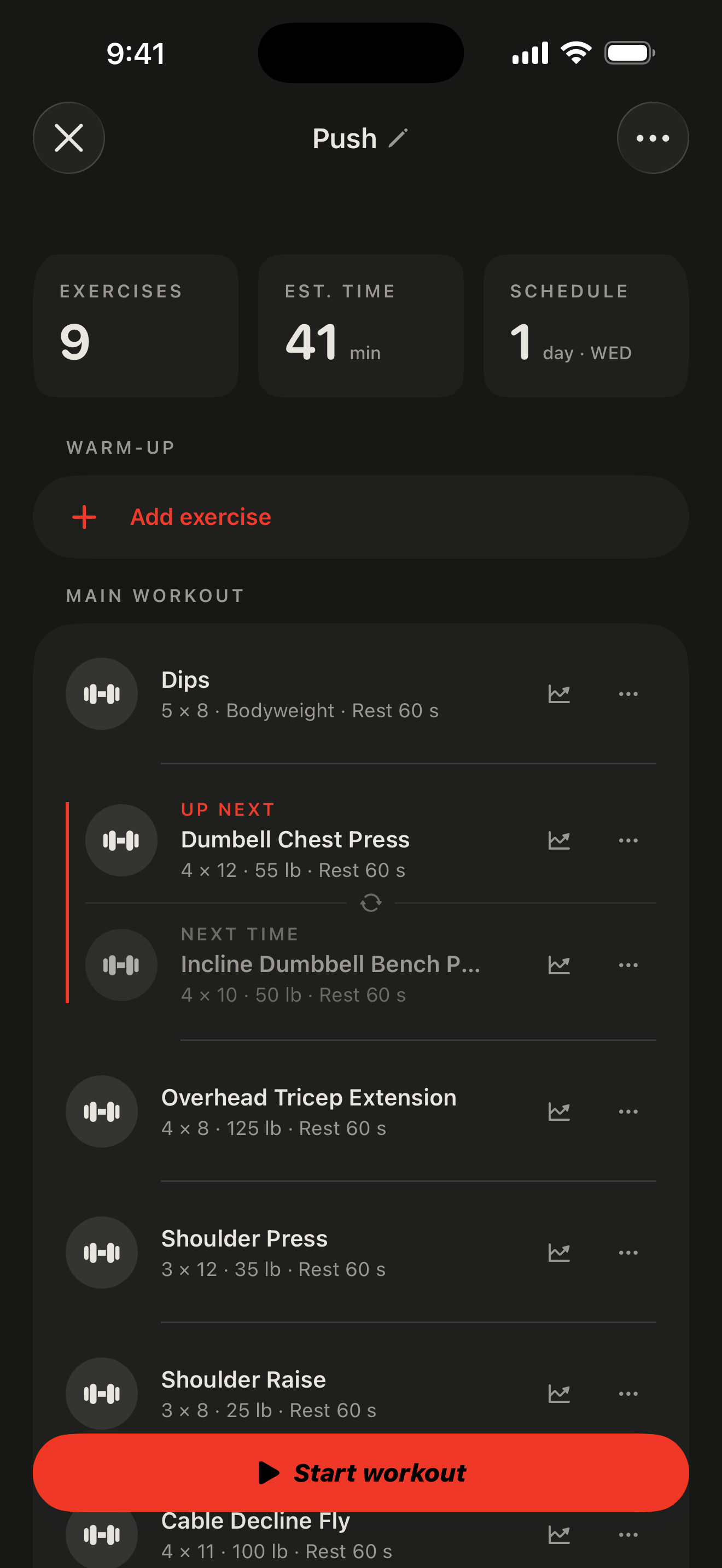
I can type, speak, or photograph a program. “Bench, four sets of eight at 185 pounds, then incline dumbbell press” becomes an editable workout. Plan, Build for me, and Log let me save a routine, ask for a session around my goals, or record work I have already done. A plan stays separate from completed training.
The review keeps a longer program’s training days separate and marks uncertain fields before they enter my history. I can adjust exercises, sets, and weights, then choose which days to save. AI handles the transcription; I decide what I will train.
Saved routines fit into a weekly schedule, including repeated routines and two sessions in one day. Today brings those sessions together so the program I imported becomes the workout I can start when I reach the gym.
02_ The session
A few seconds between sets
Starting a workout brings the plan down to one set at a time: the exercise, weight, and reps in front of me. I complete the set, mark it finished, and the rest timer begins. The next set stays in view, so I know what is coming without looking back through the routine.
During rest, I confirm the reps I completed and how hard the set felt. Those questions come after the lift, while the result is fresh and the timer is already running. That feedback feeds the suggestion engine, helping it recommend when to increase weight or reps as I build strength and track progress over time. When the break ends, I move into the next set and continue through the workout.
The Lock Screen keeps the countdown and set feedback within reach without reopening Train. The flow repeats from the first exercise to the last, building a record of what I actually completed as I go. Logging should fit inside the workout, with each decision appearing when I need it.
- 01CueSee the exercise, target reps, and weight for the next set.
- 02LiftFocus on the set without needing to interact with the app.
- 03LogMark the set complete and move into rest.
- 04RestStart the rest timer automatically and follow it from the Lock Screen.
- 05RateConfirm effort and any missed reps while resting, including from the Lock Screen.
03_ The coach
An answer I can use in this workout
A question between sets comes with context: the exercise on screen, the work already done, and what is still ahead. Ask Train receives that session context so I can ask about a form cue or an alternative exercise without describing the workout again.
The useful part happens after the answer. I can select suggested exercises and add them directly to the session, or pin a form cue to its exercise so it is there next time. If equipment is occupied, I can also switch to a saved variation for today. The design brings advice back into the workout at the point where I can act on it.
04_ The ladder
Make the next step explainable
Eight reps with three left in reserve should lead to a different suggestion from eight reps at the limit. Train now uses that effort to grade the next step: move ahead, hold the target, or ease off when repeated sessions show a struggle. If I leave effort blank, completed sets still provide evidence. A strength estimate builds across sessions and smooths individual readings so one unusually good or bad day has limited influence.
The recommendation also has to be possible in the gym. Load changes follow equipment increments and ceilings, dumbbells are counted per hand, and bodyweight exercises progress through reps. The same progression rules drive the suggestion and the visual ladder, keeping the explanation consistent with the number I am offered.
The ladder separates completed sessions, the current target, and projected steps. Future rungs have no dates: they show a possible path, without promising when I will reach it. At the end of a workout, I can apply a suggested target or keep the current one. The history makes the proposal understandable; accepting it stays an explicit choice.
05_ The perspective
Progress needs context
My goals change across a bulk, maintenance, and a cut, so Train now places those phases on the training timeline. I can compare strength lift by lift, alongside workouts per week and volume per workout. Using rates makes phases of different lengths easier to compare. The monthly recap adds another view of that history, showing records and changes while withholding strength comparisons when there are too few sessions.
After a workout, I can take a photo with the standard camera, tag the pose, and keep it on the progress calendar alongside the session. It gives me a visual record to revisit with the training history. Guided capture and timelapse comparisons are planned for a later stage.
Fuel keeps today’s supplements, doses, and reminders together, with a simple way to mark each dose taken or skipped. Supplement tracking follows the same principle: place the start date beside the training record so I can see what a supplement is adding to the work, with strength, volume, and sessions read across the periods before and after. The app presents the change as an observation. It leaves room for the other things that changed in my training and life.